You Cannot Force Users to Update, So Design for a Fragmented User Base

Key takeaway: Users update mobile apps on their own schedule, and a meaningful portion will always be running older versions — an app that assumes everyone is on the latest version will break for the users who are not, so mobile apps must be designed to work across a fragmented version base.
Why Users Do Not All Update
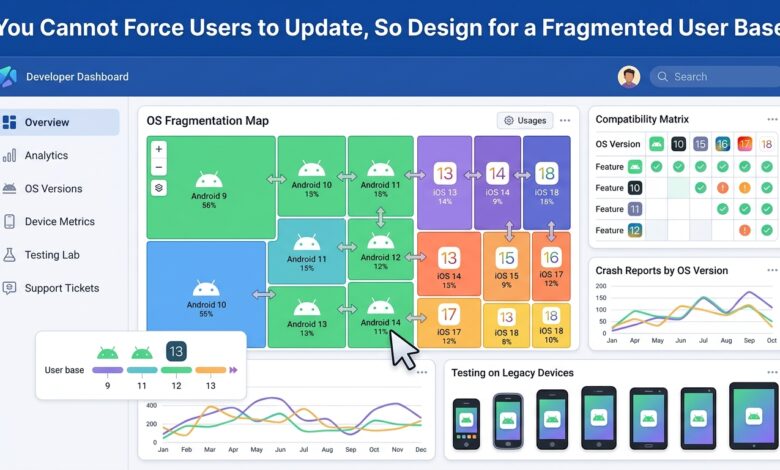
Users update apps for their own reasons and on their own schedule — some update immediately, some update when they happen to notice, some delay updates because of storage, data, or habit, and some never update. The result is that at any time, a meaningful portion of an app’s users are running older versions, and this fragmentation is a permanent feature of mobile, not a temporary one.
An app that assumes everyone is on the latest version — that relies on a new feature, a changed API, or a changed behaviour that only exists in the latest version — will break for the users who are not, and those users will experience the app as broken through no fault of their own.
The Fragmentation an App Faces
| Source of fragmentation | What it means |
|---|---|
| App version | Users on different app versions |
| OS version | Users on different operating system versions |
| Device capabilities | Users on devices with different capabilities |
| Regional differences | Users in different regions with different conditions |
The fragmentation is not just about app version — it is also about OS version, device capabilities, and regional differences. An app that assumes a specific OS version, a specific device capability, or a specific set of conditions will break for users who do not match those assumptions.
Designing for Fragmentation
Designing for fragmentation means not assuming the latest version — supporting a range of versions, degrading gracefully when a feature is not available, and handling the absence of newer capabilities without breaking. It also means being deliberate about when to require a newer version, and communicating that requirement clearly rather than silently breaking.
The practical approach is to support a defined range of versions, test against that range, and design features so that they degrade gracefully on older versions — a feature that is not available on an older version should be hidden or handled, not broken.
The Update Strategy Question
While users cannot be forced to update, an app can encourage updates — through in-app prompts, notifications, or by making the update clearly beneficial. The key is to encourage rather than force, and to design the app so that it works acceptably for users who have not updated, since forcing updates through breaking changes creates a bad experience for the users who are affected.
The Bottom Line
Design mobile apps for a fragmented user base, since users update on their own schedule and a meaningful portion will always be on older versions. Support a defined range of versions, test against that range, and design features to degrade gracefully on older versions rather than breaking. Encourage updates rather than forcing them, since breaking changes create a bad experience for the users who have not updated.