

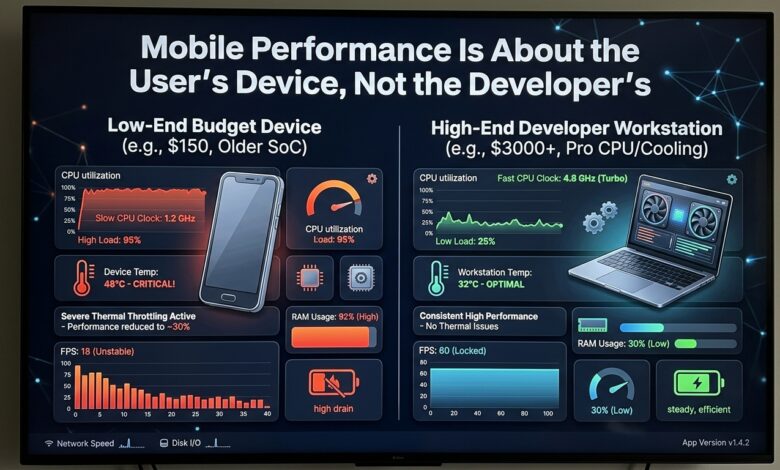
Key takeaway: An app that runs smoothly on the developer’s high-end device can run poorly on the user’s older or lower-end device, so mobile performance must be tested and optimised for the range of devices users actually have, not just the developer’s own device.
Why the Developer’s Device Is Not Representative
Developers typically test on high-end, recent devices that are far more capable than the devices many users have. An app that runs smoothly on a high-end device — with plenty of memory, a fast processor, and a high refresh rate — can run poorly on an older or lower-end device, with less memory, a slower processor, and a lower refresh rate.
This is why the developer’s device is not representative of the user base. An app that feels smooth in development can feel janky and slow to users on less capable devices, and the developer may never see the problem because their device does not exhibit it.
The Performance Differences Across Devices
| Device factor | How it affects performance |
|---|---|
| Processor speed | Slower processors take longer to do work |
| Memory | Less memory causes more pressure and jank |
| Refresh rate | Lower refresh rates make jank more visible |
| Storage speed | Slower storage makes loading slower |
The differences across devices are significant — a slower processor takes longer to do the same work, less memory causes more memory pressure and jank, a lower refresh rate makes dropped frames more visible, and slower storage makes loading slower. An app that is fine on a high-end device can be noticeably poor on a lower-end one.
Testing on Real Devices
The practical response is to test on the range of devices users actually have, not just the developer’s device. This means testing on older and lower-end devices, and using the performance tools that simulate or measure performance on constrained devices, so that performance problems are caught before they reach users.
It also means setting a performance target that accounts for the user base — deciding what level of performance is acceptable on the lowest-end device the app supports, and optimising to meet that, rather than optimising only for the developer’s device.
Optimising for the Range
Optimising for the range of devices means being mindful of the cost of the work the app does — avoiding unnecessary work, managing memory carefully, and being aware that operations that are cheap on a high-end device may be expensive on a lower-end one. It means treating performance as a constraint that applies across the device range, not just on the developer’s device.
The Bottom Line
Test and optimise mobile performance for the range of devices users actually have, since an app that runs smoothly on the developer’s high-end device can run poorly on the user’s older or lower-end device. Test on older and lower-end devices, set a performance target that accounts for the user base, and be mindful of the cost of the work the app does across the device range, rather than optimising only for the developer’s device.